
Your Portable Solution for Batch-Scanning
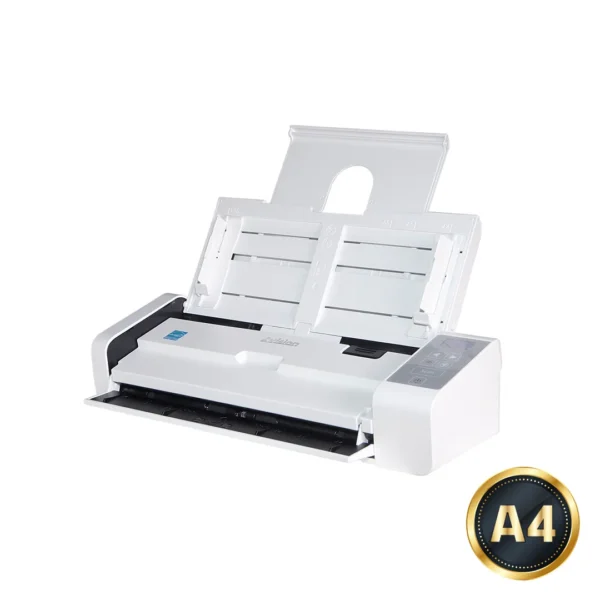
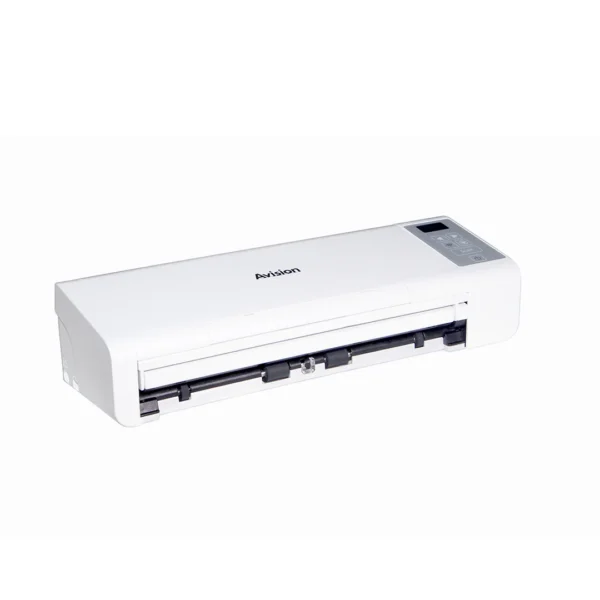
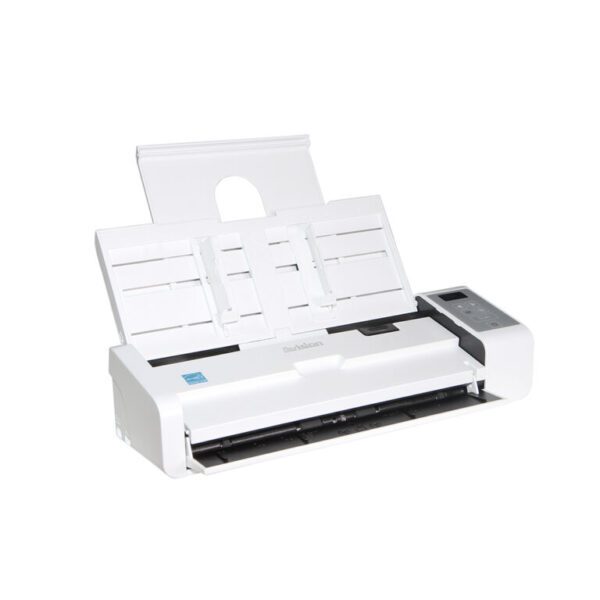
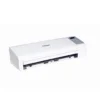
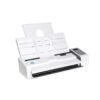
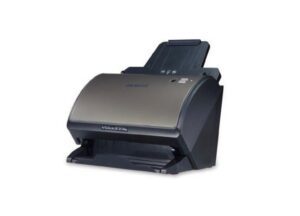
At 11.8 inches long and weighting only 1500 grams, the Avision AD225WN incorporates a built-in automatic document feeder (ADF) and card scanner in a compact unit. With the innovative design of a foldable automatic document feeder and a front/rear tray, the AD225WN is easy to travel with and lets you bring productivity of batch-scanning to any workplace.
Product Details
Productive and Flexible
The AD225WN is productive at scan rate of up to 25 ppm and 50 ipm through the built-in 25-page auto document feeder and accommodate document up to 14”. To capture high quality card image, the AD225WN also includes special front and rear tray to handle plastic ID cards, driver licenses, and even embossed cards up to 1.25 mm or paper up to legal size (8.5 x 14 in.) and weight between 27 and 413 g/m2 (rear tray: 50~105 g/m2).
Effective Network Scanning
With the network port at the back side, the AD225WN allows you to use it as a network scanner. This means users in the intranet environment can share the scanner and obtain the scanned image from their individual computer.
Two Eject Paths
If your single-page document is loaded from the front or rear feeder, the scanner provides two eject paths. Document can be ejected to the opposite side or to the same side of the feeder. Switch between these paths on the TWAIN user interface and select an eject path according to your need.
*Plastic card only available for front tray feeding.
Easy to Scan With a Press of a Button
With Avision’s newly developed software application- Button Manager, the AD225WN scans both sides of a page directly to PDF, searchable PDF, JPEG, or to office applications like Word or Excel® with a press of a button. The AD225WN automatically recognizes the size of each document, detect and straighten for skew, and show images in their proper orientation. Plus, the scanned image can be sent directly to your specified destination including e-mail, printer, image editing software application, or even a cloud server such as Google Drive or Microsoft SharePoint.
What We Have Bundled
The Avision AD225WN comes with TWAIN and ISIS drivers, and is bundled with a suite of powerful software applications that include Avision Button Manager, AVScan, and Paper Port. With Button Manager, you can create searchable PDFs, scan and send images to e-mail, printer, or other destinations with a simple press of the Scan button. The AVScan X and PaperPort are highly effective image processing and document management software that helps you streamline your task more efficiently.
Features
- Fast scan rate up to 25 pages per minute and 50 images per minute
- 25-page Auto Document Feeder (80 g/m2)
- Front Feeder accepts embossed card up to 1.25mm and paper up to legal size and weight between 27 and 413 g/m2
- Rear Feeder accepts embossed card up to 1.25mm and paper up to legal size and weight between 50 and 105 g/m2
- Auto crop and straighten a skew document
- Press and scan to cloud servers via the bundled software Button Manager
- Press and paste your scanned image directly to your text editor via the bundled software Button Manager
- Earth-friendly LED technology
- Long page scanning: 118” (<300 dpi, color)
- Auto power off setting
Specifications
Technology: Contact Image Sensor (CIS)
Light Source: LED
Document Feeding Mode: ADF
Optical Resolution (dpi): 600
Output Resolution (dpi): 1200
File Formats: BMP, PNG, GIF, JPEG, Single-Page PDF, Multi-Page PDF, Multi-TIFF, TIFF, RTF, TXT, OCR (for iScan only), XPS, DOC, XLS, PPT, DOCS, XLSX, PPTX, HTML
Halftone Patterns: Dither and Error Diffusion
Grayscale Mode: 16-bit input 8-bit output
Color Mode: 48-bit input 24-bit output
Dimensions (WxDxH): 299 x 104 x 74 mm
Interface: USB 2.0, (USB 3.0 compatible)
Network Connection: RJ-45 Ethernet 10/100/1000 Mb, Wi-Fi
Wi-Fi Standard: IEEE 802.1b/g/n
Recommended Daily Volume: Up to 3,000 sheets
OS Support: Win 7, Win 8, Win 10
Bundled Software: TWAIN Driver, ISIS Driver, Button Manager, PaperPort, AVScan
Ultrasonic Paper Jam Detection: Yes
Long Paper Mode: Up to 300 dpi Color Duplex 118 inch (3000 mm)
Card Scan: Embossed card (Thickness 1.25 mm)
Scan Size ADF Minimum: 50mm x 50mm
Scan Size ADF Maximum: 216mm x 356 mm (Legal) (8.5 x 14 in.)
ADF Capacity: 25 sheets
Paper Weight (Thickness)
ADF:27 ~ 120 g/m²;Front :27 ~ 413 g/m² (7 to 110 lb.)
Scanning Speed: B/W @ 200dpi, A4
Simplex: 25 ppm; Duplex: 50 ipm
Scanning Speed: B/W @ 300dpi, A4
Simplex: 25 ppm; Duplex: 50ipm
Scanning Speed: Color @ 200dpi, A4
Simplex: 25 ppm; Duplex: 50 ipm
Scanning Speed: Color @ 300dpi, A4
Simplex: 25 ppm; Duplex: 50ipm
Reviews
There are no reviews yet.