

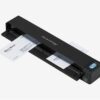
Productivity unleashed
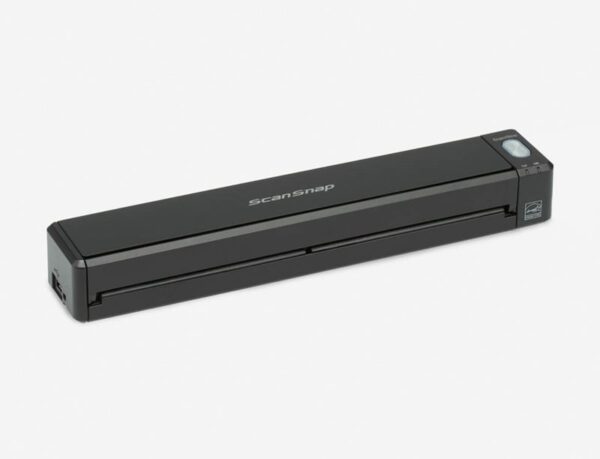
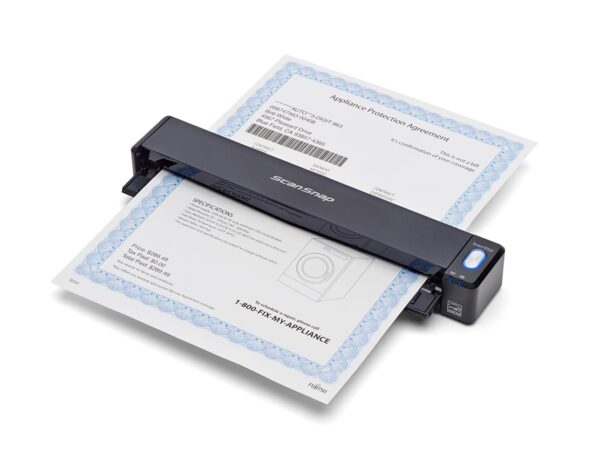
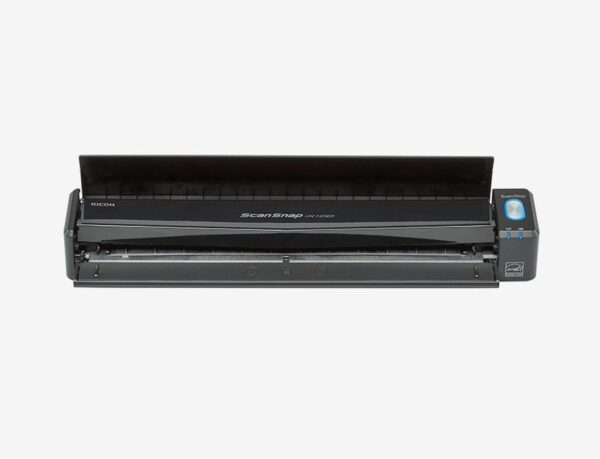
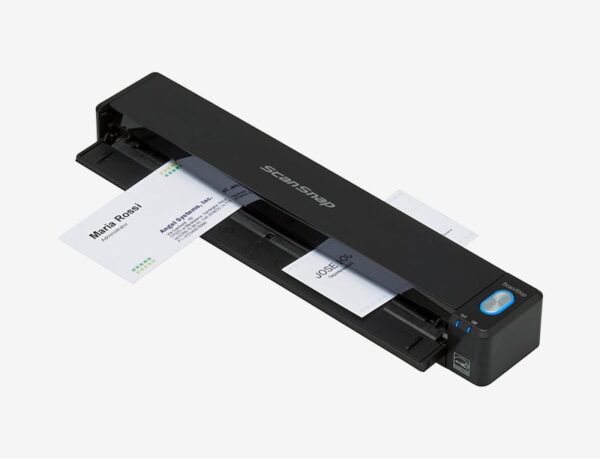
The ScanSnap iX100 is dramatically compact battery powered ScanSnap. Whether scanning receipts, contracts, recipes, or plastic cards, the iX100 takes scanning beyond the desktop and into your mobile world. Completely wireless and weighing only 400 grams, the iX100 brings mobility and wireless scanning to your PC or Mac as well as iOS or Android device.
Features
Change paper into valuable information with a touch of the button
The ScanSnap iX100 builds on ScanSnap’s “One Button Simplicity” and provides a host of productivity features so that you can keep ahead of the stack with a single touch of the button.
Combining portability and speed to provide ease at fingertips
Regardless of its Wi-Fi connectivity, the iX100 is ultralight weighing a mere 400 grams. Battery-powered operation allows users to scan without being wired to specific locations for mobile usability. Document scanning speeds of 5.2 seconds per page at 300 dpi, even for color documents, also boost the mobile experience.
Refined usability for users
The iX100 is designed for ease of use, and provides various functions to make your daily work easier and simpler.
Quick digitization for various sized documents
With “Dual Scan” function, users can scan 2 small sized documents such as business card and receipt at the same time. Also, even charts and diagrams larger than A4 can be scanned as well. Just fold it in half, scan both sides and the iX100 will automatically stitch it back together.
Scanning a two-side document using Continuous Document Feeding
The “Continuous Document Feeding” function allows users to insert pages one after another without pressing any extra button by detecting when a sheet enters and exits the iX100.
Smooth scanning for various types of documents
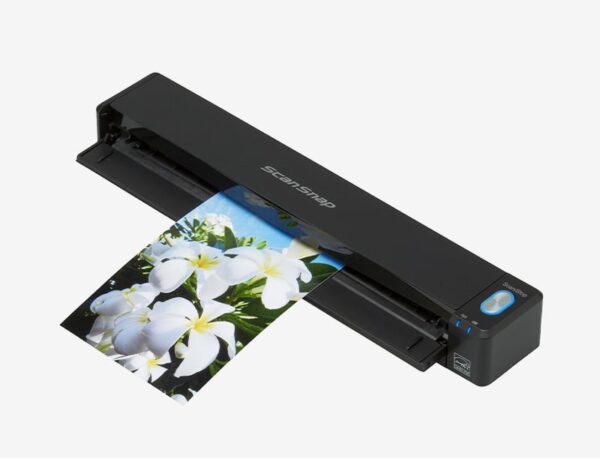
The iX100 can scan a variety of papers: from the standard office paper to the plastic ID card.
Scan anywhere you want whenever you want
Connect the iX100 to your computer or smart device (both iOS and Android OS)*1 in your office and at home, using existing Wi-Fi environments with Access Point Connect Mode*2. Connecting is also possible in environments without Wi-Fi using Direct Connect Mode, as the scanner itself functions as an access point.
Best experience with ScanSnap Home
ScanSnap Home provides a better scanning experience on both a PC and a mobile device.
ScanSnap Home combines all your favorite functions into one and is the ultimate platform for utilizing scanned data in various ways. Easily manage, edit, and utilize data from documents, business cards, receipts, and photos with the software. You can scan large volumes of various types of documents, from color photos to double-sided landscape documents, with a host of intelligent automatic image processing functions.
Connect to ScanSnap Cloud without the PC
ScanSnap Cloud delivers scanned data directly from your ScanSnap iX100 to your favorite cloud services without a computer or mobile device. The software automatically classifies your file type by documents, receipts, business cards and photos, and sends it to the appropriate cloud based on your pre-set profiles.
You simply need to press the Scan button on your iX100. Your scanned data can then be managed within your selected cloud service.
Specifications
As of October 15, 2025
| Product Name | ScanSnap iX100 | |
| Scanner Type | Single fed (Straight / U-turn path), CDF (Continuous Document Feeding), Simplex | |
| Scanning Speed (A4 portrait)*1 | Auto mode*2 | 5.2 seconds / page |
| Normal mode | ||
| Better mode | ||
| Best mode | ||
| Excellent mode*3 | 20.4 seconds / page | |
| Scanning Color Mode | Color, Grayscale, Monochrome, Automatic (Color / Grayscale / Monochrome detection) | |
| Image Sensor | CIS (Contact Image Sensor) x 1 | |
| Light Source | 3 color LED (Red / Green / Blue) | |
| Optical Resolution | 600 dpi for Color or Grayscale, 1200 dpi for Monochrome | |
| Document Size*4 | Normal Scan | Maximum: 216 x 360 mm (8.5 x 14.17 in.) 279.4 x 431.8 mm (11 x 17 in.) with Carrier Sheet Minimum: 25.4 x 25.4 mm (1 x 1 in.) |
| Long Paper Scanning*5 | 863 mm (34 in.) | |
| Paper Weight (thickness) | 52 to 209 g/m2 (14 to 56 lb) (Straight path) 52 to 80 g/m2 (14 to 20 lb) (U-turn path) Cards: 0.76 mm or less (Non-embossed), 0.76 + 0.48 mm (Embossed) (ISO7810 Conforming) |
|
| Paper Setting | Front-side up | |
| Interface*6 | USB | USB 2.0 / USB 1.1 |
| Wi-Fi | IEEE802.11b / IEEE802.11g / IEEE802.11n Frequency band*7: 2.4 GHz |
|
| Wi-Fi Interface | Connection Mode | Access Point Connect Mode (Infrastructure mode) Direct Connect Mode (Ad-hoc mode) |
| Communication Distance*8 | 50 m (Recommended: 25 m) | |
| Security | Infrastructure mode: WPA (TKIP / AES), WPA2 (TKIP / AES), WPA-PSK (TKIP / AES), WPA2-PSK (TKIP / AES), WEP (64-bit / 128-bit) Ad-hoc mode: WPA-PSK (TKIP / AES), WPA2-PSK (TKIP / AES), WEP (64-bit / 128-bit) |
|
| Easy Installation | WPS2.0 (Button / PIN code) | |
| Rated Power (EIRP) | +9.7dBm | |
| Power Source | Li-ion battery (3.7 V / 720 mAh) | |
| Power Requirement | 5 V / 0.5 A | |
| Power Consumption*9 | Operating Mode | 4.7 W or less |
| Sleep Mode | 2.2 W or less | |
| Auto Standby (Off) Mode | Less than 0.5 W | |
| Operating Environment | Temperature | 5 to 35°C (41 to 95°F) |
| Relative Humidity | 20 to 80% (Non-condensing) | |
| Environmental Compliance | ENERGY STAR / RoHS | |
| Dimensions (W x D x H)*10 | 273 x 47.5 x 36 mm (10.75 x 1.87 x 1.42 in.) | |
| Weight | 400 g (0.88 lb) | |
| Driver | ScanSnap specific driver Windows: Does not support TWAIN / ISIS™ macOS: Does not support TWAIN |
|
| Software*11 | ScanSnap Home (for PC) (All-in-one document management software/driver) ScanSnap Home (for mobile) ABBYY FineReader for ScanSnap™ |
|
| Included Items | Safety Precautions, USB cable | |
- Scanning speeds may vary due to the system environment. The values shown are the results of the evaluation under the following environment:
- Windows 10 / CPU: Intel Core™ i3-10105 3.7GHz / Memory: 8GB / Storage: SSD
- macOS Monterey 12 / CPU: 3.0GHz 6 core Intel Core™ i5 (8th Generation) / Memory: 8GB / Storage: SSD / used Mac Mini (2018)
- Scans will be made in “Best mode” if shorter sides are less than 148 mm (5.8 in.) and in “Better mode” if not.
- This mode is not available when using ScanSnap Cloud or when connecting to a mobile device.
- Automatically stitch a two-page spread when scanning a folded A3, B4 or double letter size document one side at a time. The image is automatically stitched only if texts or diagrams cover across the two-page spread.
- Capable of scanning documents that exceed A4 size in length except for ‘Excellent mode’.
- Computer with USB 3.0 will work as USB 2.0 guaranteed only with USB cable provided with product.
- Frequency may vary depending on country.
- Communication distance may vary depending on surrounding environment and the access point to be connected.
- When operating with battery.
- When chute is closed.
- Installation and updates require Internet availability. Software/driver updates to the latest versions are recommended.
System Requirements for PC
| Compatible Operating Systems*1 | Windows 11 / 10 (32-bit / 64-bit) | |
| Driver / Applications*2 | ScanSnap Home*4 | Supported |
| ABBYY FineReader for ScanSnap™ | Supported | |
| Hardware Requirements*3 | CPU*5 | Intel or Intel-compatible processors |
| Display Resolution | 1,024 x 768 pixels or more | |
| Disk Capacity*6 | 3.8 GB or more of free disk space | |
- Operate Windows in desktop mode. ScanSnap scanners do not run with Windows 10 Enterprise 2015 LTSB and Windows 11 and 10 ARM-based PCs such as Surface Pro X (Microsoft).
- Operating systems listed in this table are the only ones supported. Please refer to the ScanSnap Support sitefor the latest support information.
- The ScanSnap device may not work if the connected computer does not meet these requirements.
- Installation requires a computer and Internet. Please visit the ScanSnap Support sitefor download information.
- Scanning speeds may vary due to the system environment.
- .NET Framework 4.8 or later must be installed. If it is not installed, it is installed with ScanSnap Home. Up to 4.5 GB of disk space is required for the installation.

Reviews
There are no reviews yet.