
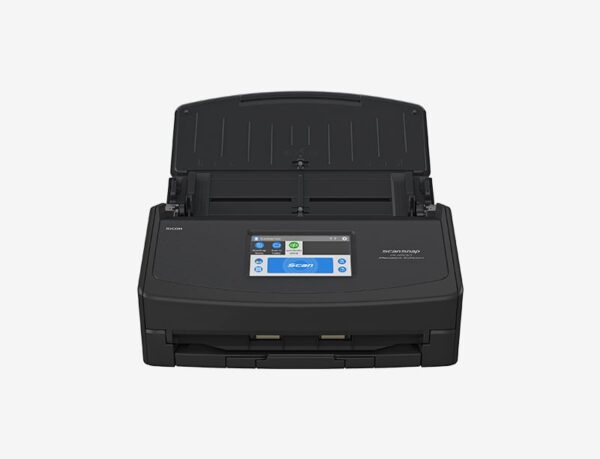
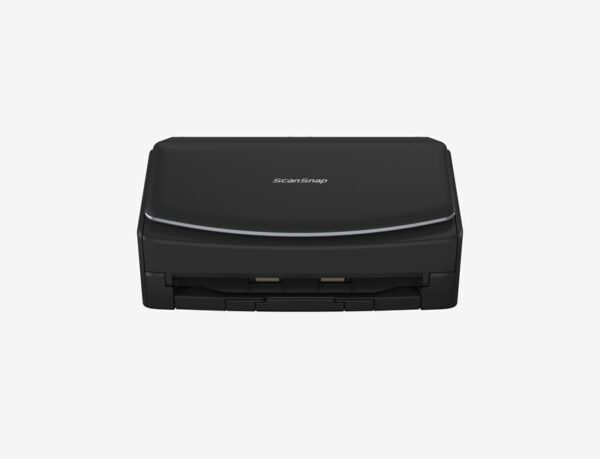
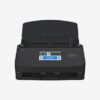
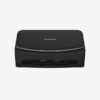
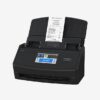
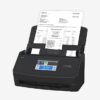
Intuitive scanning at your fingertips
ScanSnap iX1600 is the evolved flagship model of the ScanSnap series, enabling scanning at higher speeds of 40 ppm/80 ipm (A4-size documents, color, 300dpi). It comes with the all-familiar 4.3-inch touch screen to bridge the gap where the physical and digital meets. The device comes with Wi-Fi connectivity, making it the perfect model for team sharing and combined use with cloud services.
Features
Optimized user experience: ScanSnap iX1600 comes with a 4.3-inch touch screen and provides ease-of-use so that users can complete scanning to data utilization, with just “one touch”.
Customize to your preference: The device comes with around 30 profiles by default and enables up to 30 customizations. Customize the profile icons on the touch screen according to your scanning needs from data organization to utilization.
Scan anywhere you want whenever you want: Wi-Fi (2.4/5GHz*1) compatibility allows you to directly connect to your smart devices*2 or cloud services*3 without PC. While the device uses existing Wi-Fi environments in Access Point Connect Mode*4, connection is also possible in environments without Wi-Fi using Direct Connect Mode, as the scanner itself functions as an access point.
Ideal for team sharing: single unit with company colleagues and family members. Filter through the set profiles to display personal icons for easy operation.
Stress-free usability for any users: The iX1600 comes with an intuitive interface that is easy to use and provides you with a peace of mind while you carry out your tasks.
Steady and versatile paper feeding: Inheriting the Ultrasonic Sensor and the Brake Roller from our business scanners, the iX1600 continues to provide superior reliability for various paper types. Each paper is fed individually to prevent feeding errors.
Have images clean all the time: Receive notifications on the touch screen whenever Dust Detection spots dust that may result in streaked images. Maintenance notification beforehand enables you to reduce the hassle of time-consuming rescans. Even if streaks do appear on scanned images, the Streak Reduction function removes them, reducing the hassle of time-consuming rescans.
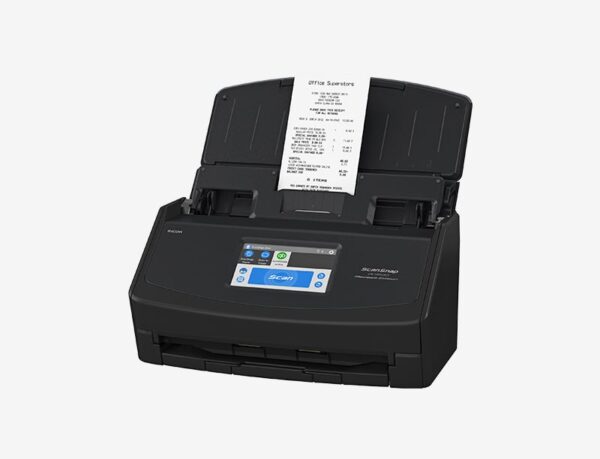
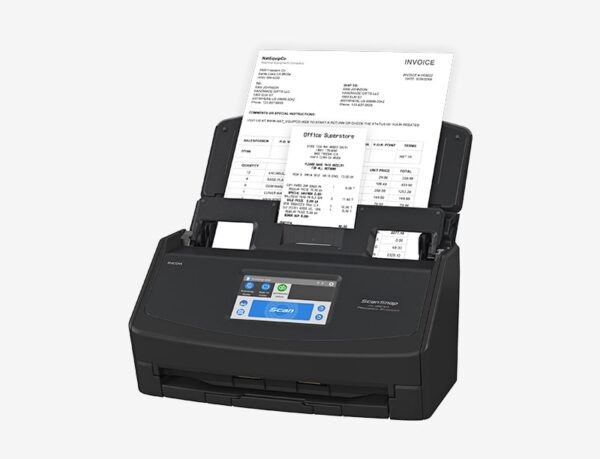
Scan receipts and much more: Scan larger-sized documents, like A3 documents that need to be bi-folded, envelopes, and much more, with Manual Scan Mode.* Documents that are typically difficult to scan in Normal Scan Mode can now be captured without any issues. Effortlessly scan small documents with the Receipt Guide. No need to be concerned about fixing receipts and business cards that tend to curl or skew. Designed to be a comfortable fit even when the cover is closed, it reduces handling of documents before hitting the scan button.
Best experience with ScanSnap Home: ScanSnap Home provides better scanning experience both on a PC and a mobile device. ScanSnap Home (for PC) combines all your favorite functions into one and is the ultimate platform to utilize scanned data in various ways. Easily manage, edit and utilize data from documents, business cards, receipts and photos with the software. You can scan large volumes of various types of documents from color photos to double-sided landscape documents with a host of intelligent automatic image processing functions. ScanSnap Home (for mobile) offers a primary scanning function. Scanning and sharing the scanned data is a no-fuss without connecting to a PC.
Save Directly to a Network Folder without the Need for a PC: Create a profile in which the save destination for scanned images is set to network-attached storage (NAS) or a network folder, and place an icon that represents the profile on the touch panel of the ScanSnap iX1600. Save your scanned data directly to the specified destination by selecting the icon and scanning without a PC.
Connect to ScanSnap Cloud without the PC: ScanSnap Cloud delivers scanned data directly from your ScanSnap iX1600 to your favorite cloud services without a computer or mobile device. The software automatically classifies your file type by documents, receipts, business cards and photos, and sends it to the appropriate cloud based on your pre-set profiles. You simply need to select a profile that is set to connect to ScanSnap Cloud and press the Scan button on the iX1600’s touch screen. Your scanned data can then be managed within your selected cloud service.
Specifications
| Product Name | ScanSnap iX1600 (White / Black) | |
|---|---|---|
| Scanner Type | ADF (Automatic Document Feeder) / Manual Feed, Duplex | |
| Scanning Speed (A4 portrait) | Auto mode | Simplex / Duplex: 40 ppm |
| Normal mode | Simplex / Duplex: 40 ppm (Color / Grayscale: 150 dpi, Monochrome: 300 dpi) | |
| Better mode | Simplex / Duplex: 40 ppm (Color / Grayscale: 200 dpi, Monochrome: 400 dpi) | |
| Best mode | Simplex / Duplex: 40 ppm (Color / Grayscale: 300 dpi, Monochrome: 600 dpi) | |
| Excellent mode | Simplex / Duplex: 10 ppm (Color / Grayscale: 600 dpi, Monochrome: 1,200 dpi) | |
| Scanning Color Mode | Color, Grayscale, Monochrome, Automatic (Color / Grayscale / Monochrome detection) | |
| Image Sensor | CIS x 2 (Front x 1, Back x 1) | |
| Light Source | 3 color LED (Red / Green / Blue) | |
| Optical Resolution | 600 dpi | |
| Document Size | Normal Scan | Minimum 50.8 x 50.8 mm (2 x 2 in.) Maximum 216 x 360 mm (8.5 x 14.17 in.) |
| Manual Scan | A3, B4, 279 x 432 mm (11 x 17 in.) | |
| Long Paper Scanning | 3,000 mm (863 mm in 32-bit) Smart Device: 863 mm (Duplex), 1,726 mm (Simplex) |
|
| Paper Weight (Thickness) | 40 to 209 g/m2 (11 to 56 lb) A8 or less: 128 to 209 g/m2 (34 to 56 lb) Cards: 0.76 mm or less (Compliant with the ISO7810 ID-1 type) (Includes embossed cards in landscape orientation) |
|
| ADF Capacity | 50 sheets (A4, 80 g/m2 or 20 lb) | |
| Multifeed Detection | Overlap detection (Ultrasonic sensor), Length detection | |
| Interface | USB | USB 3.2 Gen1 / USB 3.1 / USB 3.0 / USB 2.0 / USB 1.1 (Connector Type: Type-B)*9 |
| Wi-Fi | IEEE802.11a/b/g/n/ac Frequency band: 2.4 GHz / 5 GHz |
|
| Wi-Fi Interface | Connection Mode | Access Point Connect Mode (Infrastructure mode) Direct Connect Mode (Ad-hoc mode) |
| Security | WEP (64bit / 128bit), WPA (TKIP / AES), WPA2 (AES), WPA-PSK (TKIP / AES), WPA2-PSK (AES) | |
| Easy Installation | WPS2.0 | |
| Rated Power (EIRP) (North America) | 2.4 GHz: 11b: +23.5dBm / 11g: +22.0dBm / 11n/ac: +22.0dBm (20 / 40MHz) 5 GHz*10: 11a: +15.5dBm / 11n/ac: +16.5dBm (20MHz) |
|
| Rated Power (EIRP) (Others) | 2.4 GHz: 11b: +19.0dBm / 11g: +20.5dBm / 11n/ac: +20.5dBm (20 / 40MHz) 5 GHz*10: 11a: +15.5dBm / 11n/ac: +16.5dBm (20MHz) |
|
| LCD | 4.3 in. color TFT touch screen | |
| Power Requirements | AC 100 to 240 V, 50/60 Hz | |
| Power Consumption | Operating Mode | 17 W or less |
| Sleep Mode | USB connected: 1.5 W or less Wi-Fi connected: 1.6 W or less |
|
| Operating Environment | Temperature | 5 to 35 °C (41 to 95 °F) |
| Relative Humidity | 20 to 80% (Non-condensing) | |
| Environmental Compliance | ENERGY STAR, RoHS | |
| Dimensions (W x D x H) | 292 x 161 x 152 mm (11.5 x 6.3 x 6.0 in.) | |
| Weight | 3.4 kg (7.5 lb) | |
| Driver | ScanSnap specific driver Windows: Does not support TWAIN / ISIS™ macOS: Does not support TWAIN |
|
| Software | ScanSnap Home (for PC) (All-in-one document management software/driver) ScanSnap Home (for mobile) Kofax Power PDF Standard (Windows) Kofax Power PDF Standard for Mac (Mac) ABBYY FineReader for ScanSnap™ |
|
| Included Items | Safety Precautions, AC cable, AC adapter, USB cable, Receipt Guide | |
-
Scanning speeds may vary due to the system environment. The values shown are the results of the evaluation under the following environment:
- Windows 10 / CPU: Intel Core™ i3-10105 3.7GHz / Memory: 8GB / Storage: SSD
- macOS Monterey 12 / CPU: 3.0GHz 6 core Intel Core™ i5 (8th Generation) / Memory: 8GB / Storage: SSD / used Mac Mini (2018)
-
Scans will be made in “Best mode” if shorter sides are less than 105 mm and in “Better mode” if not.
-
Available only when connecting to a computer.
-
Not available when using ScanSnap Connect Application.
-
A3 scans are possible with use of A3 carrier sheets.
-
Manual Scan Mode is available when using ScanSnap Home (for PC).
-
Available in all modes except for “Excellent mode”.
-
Maximum capacity varies, depending upon paper weight.
-
Some computers do not recognize the ScanSnap when it is connected to a USB 3.2 Gen1, USB 3.1 or USB 3.0 port. In this case, please use a USB 2.0 cable.
-
Availability of 5 GHz Wi-Fi may vary depending on region.
-
Access Point Connect Mode requires a Wi-Fi access point or router.
-
5 GHz Wi-Fi is not available with Direct Connect Mode.
-
Excluding the stacker and other external attachments.
-
Installation and updates require Internet availability. Software/driver updates to the latest versions are recommended.
-
One license available.
System Requirements for PC
| Compatible Operating Systems | Windows 11 / 10 (32-bit / 64-bit) | |
|---|---|---|
| Driver / Applications | ScanSnap Home | Supported |
| Kofax Power PDF Standard | Supported | |
| ABBYY FineReader for ScanSnap™ | Supported | |
| Hardware Requirements | CPU | Intel or Intel-compatible processors |
| Display Resolution | 1,024 × 768 pixels or more | |
| Disk Capacity | 3.8 GB or more of free disk space | |
-
Operate Windows in desktop mode. ScanSnap scanners do not run with Windows 11 and 10 ARM-based PCs such as Surface Pro X (Microsoft).
-
Operating systems listed in this table are the only ones supported. Please refer to the ScanSnap Support site for the latest support information.
-
The ScanSnap device may not work if the connected computer does not meet these requirements.
-
ScanSnap Home Installation requires a computer and Internet. Please visit the ScanSnap Support site for download information.
-
Please refer to the included license certificate to download the software.
-
Scanning speeds may vary due to the system environment.
-
Indicated disk capacity requirements apply when downloading ScanSnap Home.
-
.NET Framework 4.8 or later must be installed. If it is not installed, it is installed with ScanSnap Home. Up to 4.5 GB of disk space is required for the installation.

Reviews
There are no reviews yet.