
Scan, save and share at the touch of a button
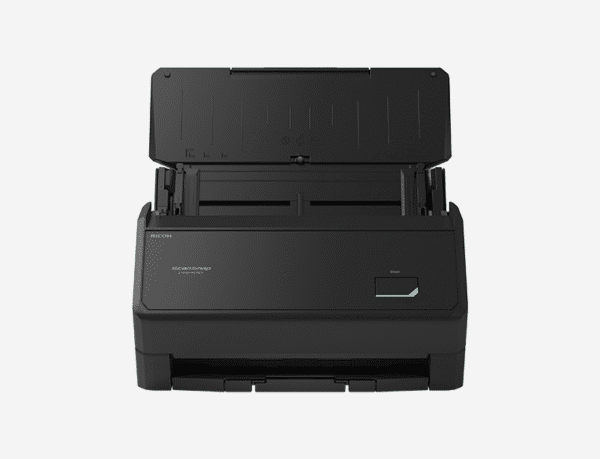
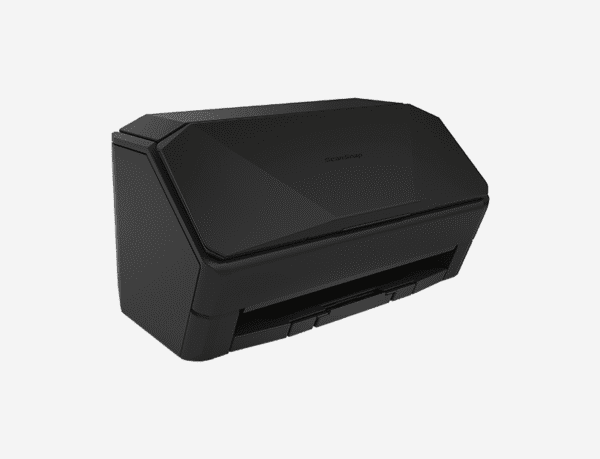
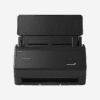
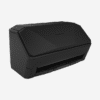
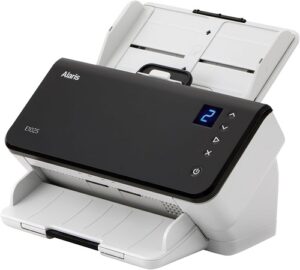
The iX2400 is a high-performance scanner that delivers speed, simplicity, and reliability.
With its USB-only design, it’s ready after a quick initial setup—no complex settings, no Wi-Fi, no hassle.
Features
Effortless scanning experience
The ScanSnap iX2400 makes scanning simple. From setup to everyday use, operation is intuitive and straightforward, so anyone can start right away. With its simple design and one-touch scanning, the iX2400 helps you get work done quickly, without unnecessary steps.
High-speed scanning
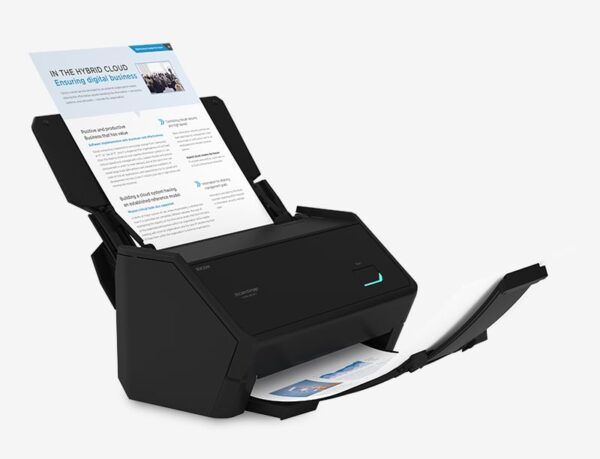
With just the press of a single button, the iX2400 scans A4 color duplex documents at an impressive 45 pages per minute or 90 images per minute. The scanner automatically detects paper size, color, and whether documents are single- or double-sided, so there’s no need to worry about settings. This allows users to digitize stacks of documents quickly and reliably, increasing productivity without compromising quality.
Large capacity Automatic Document Feeder and the Receipt Guide
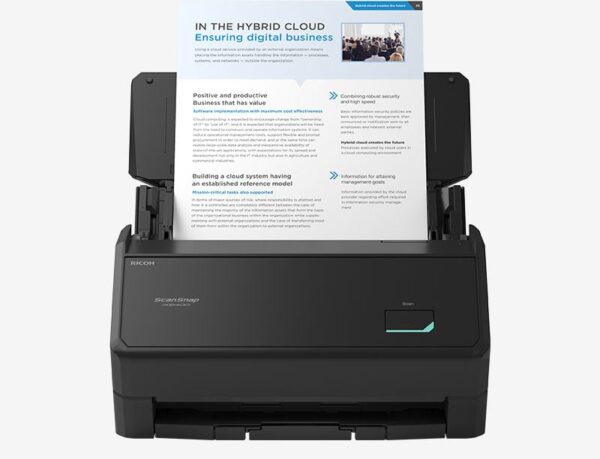
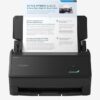
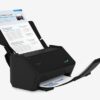
Equipped with a 100-sheet Automatic Document Feeder (ADF), the iX2400 is built to handle large scanning tasks with ease. For smaller documents—such as receipts, checks, or business cards—that are often thin, curled, or easily misfed, the included Receipt Guide keeps them steady and ensures reliable, accurate scanning. Even with the guide attached, the feeder can still accommodate up to 50 sheets of A4 paper, offering flexibility and convenience for mixed document types.
Simple and reliable USB connectivity
The iX2400 is a USB-only model, designed for users who prefer a straightforward, wired connection. Once configured, just plug the scanner into your PC via USB and start scanning. This reliable connection method is ideal for environments where wireless access is limited or restricted, ensuring consistent performance without the need for network configuration.
Reliability in both paper feeding and image quality
Stable paper feeding technology
Inheriting paper feeding technology from the PFU’s business scanners, the iX2400 features the Brake Roller and two Ultrasonic Sensors. This ensures smooth and stable paper feeding, reliably detecting multi-feed.
Additionally, it features a skew detection function that stops feeding before documents are damaged, if they are fed at an angle, protecting important documents.
More assured and clearer image quality
Using the PFU Clear Image Capture technology adopted in business-use scanners, color shift is suppressed, and moiré (irregular color stripes) is also reduced. This makes it ideal for scanning documents with delicate colors and contrast.
Best experience with ScanSnap Home
ScanSnap Home (for PC) combines all your favorite functions into one and is the ultimate platform to utilize scanned data in various ways. Easily manage, edit, and utilize data from documents, business cards, receipts, and photos with the software. You can scan large volumes of various types of documents, from color photos to double-sided landscape documents, with a host of intelligent automatic image processing functions.
The Quick Menu lets you choose where to save or share your scans after scanning, making the process smooth and efficient. In addition to the existing destinations, such as “Scan to Folder” and “Send to Email,” the Quick Menu now links with Microsoft Teams, SharePoint, OneNote, Notion, and iCloud. Also, cloud services ScanSnap Cloud supports can be selected from the Quick Menu.
Environmentally conscious product design and packaging materials
Less plastic waste
Recycled plastic is over 25% of the main unit’s resin weight.*1 We also use recycled plastics*2 and pulp molds for packaging and cushioning materials when transporting products, achieving zero use of virgin plastics derived from fossil resources. These contribute to reducing plastic waste.
Energy efficiency for sustainable use
The power consumption of the iX2400 during operation is approximately 13W, and the power consumption when turned off is less than 0.1W.
Specifications
As of November 13, 2025
| Product name | ScanSnap iX2400 (White/Black) | ||
| Scanner type | ADF (Automatic Document Feeder), Duplex | ||
| Scanning color mode | Color, Grayscale, Monochrome, Automatic (Color/Grayscale/Monochrome detection) | ||
| Image sensor | CIS x 2 (Front x 1, Back x 1) | ||
| Light source | 3 Color LED (Red/Green/Blue) | ||
| Optical resolution | 600 dpi | ||
| Scanning Speed*1 (A4 portrait) |
Auto mode (Default)*2 | Simplex/Duplex: 45 ppm | |
| Normal mode | Simplex/Duplex: 45 ppm (Color/Grayscale: 150 dpi, Monochrome: 300 dpi) |
||
| Better mode | Simplex/Duplex: 45 ppm (Color/Grayscale: 200 dpi, Monochrome: 400 dpi) |
||
| Best mode | Simplex/Duplex: 45 ppm (Color/Grayscale: 300 dpi, Monochrome: 600 dpi) |
||
| Excellent mode | Simplex/Duplex: 13 ppm (Color/Grayscale: 600 dpi, Monochrome: 1,200 dpi) |
||
| Document size | Normal scan*3 | Minimum: 50.8 x 50.8 mm (2 x 2 in.) Maximum: 216 x 360 mm (8.5 x 14.17 in.) |
|
| Manual scan | – | ||
| With Photo Carrier Sheet (Option) | Minimum: 25.4 x 25.4 mm (1 x 1 in.) Maximum: 127 x 178 mm (5.0 x 7.0 in.) |
||
| With Carrier Sheet (Option) | Minimum: 25.4 x 25.4 mm (1 x 1 in.) Maximum: 297 x 431.8 mm (11.69 x 17 in.) |
||
| With Booklet Carrier Sheet (Option) | – | ||
| Long paper scanning*4 | PC | 3,000 mm*5 (863 mm in 32-bit) | |
| Smart Device / Cloud / NAS | – | ||
| Paper weight (Thickness) | 40 to 209 g/m2 (11 to 56 lb) A8 size or less: 128 to 209 g/m2 (34 to 56 lb) Cards: 0.76 mm or less (Compliant with the ISO7810 ID-1 type) (Includes embossed cards in landscape orientation) |
||
| ADF capacity*6 | 100 sheets (A4, 80 g/m2 or 20 lb) | ||
| Interface | USB | USB3.2 Gen1x1 / USB3.1 / USB3.0 / USB2.0 / USB 1.1 (Connector Type: Type-C) |
|
| Wi-Fi | – | ||
| Wi-Fi Connection Mode | – | ||
| LCD | – | ||
| Power requirement | AC 100 to 240 V, 50/60 Hz | ||
| Power consumption | Operating | Approx. 13 W | |
| Sleep mode | 1.0 W or less | ||
| When the power is off (default Normal mode) | 0.1 W or less | ||
| On standby in Fast mode | 1.0 W or less | ||
| Operation environment | Temperature: 5 to 35 °C (41 to 95 °F) Relative humidity: 20 to 80% (Non-condensing) |
||
| Dimensions (W x D x H) | Min.: 292 x 161 x 159 mm (11.50 x 6.34 x 6.26 in.) (storage size) Max.: 292 x 477 x 286 mm (11.50 x 18.78 x 11.26 in.) (when the extension and the stacker are extended) |
||
| Device weight | 3.2 kg (7.1 lb) | ||
| Environmental compliance | ENERGY STAR/RoHS | ||
| Multifeed detection | Overlap detection (Ultrasonic sensor), Length detection | ||
| Driver | ScanSnap Home (ScanSnap specific driver) •Windows: Does not support TWAIN/ISIS™ •macOS: Does not support TWAIN |
||
- Scanning speeds may vary due to the system environment. The values shown are the results of the evaluation under the following environment:
- Windows 11 / CPU: Intel Core™ i3-13100 4.5GHz / Memory: 8GB / Storage: SSD
- macOS Sonoma 14 / CPU: Apple M2 chip / Memory: 8GB / Storage: SSD / used Mac Mini (2023)
- Scans will be performed in 300 dpi (Color/Grayscale) or 600 dpi (Monochrome) if shorter sides are less than 105 mm, and in 200 dpi (Color/Grayscale) or 400 dpi (Monochrome) if shorter sides exceed 105 mm.
- A3 scans are possible with use of A3 carrier sheets.
- A document longer than A4 paper can be scanned one by one. Available in all modes except for “Excellent mode”.
- Up to 360 mm in Excellent mode.
- Maximum capacity varies, depending upon paper weight.
System Requirements for PC
| Compatible Operating Systems*1 | Windows 11 / 10 (32-bit / 64-bit) | |
| Driver / Applications*2 | ScanSnap Home*4 | Supported |
| ABBYY FineReader for ScanSnap™ | Supported | |
| Hardware Requirements*3 | CPU*5 | Intel or Intel-compatible processors |
| Display Resolution | 1,024 × 768 pixels or more | |
| Disk Capacity*6*7 | 3.8 GB or more of free disk space | |
- Operate Windows in desktop mode. ScanSnap scanners do not run with Windows 10 Enterprise 2015 LTSB and Windows 11 and 10 ARM-based PCs such as Surface Pro X (Microsoft).
- Operating systems listed in this table are the only ones supported. Please refer to the ScanSnap Support site for the latest support information.
- The ScanSnap device may not work if the connected computer does not meet these requirements.
- ScanSnap Home Installation requires a computer and Internet. Please visit the ScanSnap Support site for download information.
- Scanning speeds may vary due to the system environment.
- Indicated disk capacity requirements apply when downloading ScanSnap Home.
- .NET Framework 4.8 or later must be installed. If it is not installed, it is installed with ScanSnap Home. Up to 4.5 GB of disk space is required for the installation.
System Requirements for Mac
| Compatible Operating Systems | macOS Monterey 12 or later | |
| Driver / Applications*1 | ScanSnap Home*3 | Supported |
| ABBYY FineReader for ScanSnap™ | Supported | |
| Hardware Requirements*2 |
CPU*4*5 | Intel processor or Apple silicon |
| Display Resolution | 1,024 x 768 pixels or more | |
| Disk Capacity | 2.5 GB or more of free disk space | |
- Operating systems listed in this table are the only ones supported. Please refer to the ScanSnap Support site for the latest information.
- The ScanSnap device may not work if the connected computer does not meet these requirements.
- ScanSnap Home Installation requires a computer and Internet. Please visit the ScanSnap Support site for download information.
- The ScanSnap device also operates with Apple Silicon-based Mac computers. Please refer to the ScanSnap Support site for the latest information.
- Scanning speeds may vary due to the system environment.
Reviews
There are no reviews yet.